UC Santa Barbara Summer Sessions offers something for everyone. Whether you identify as an incoming first year, a lifelong learner, or anything in between, we're here to ignite your curiosity.
To begin customizing a summer experience that meets your goals, identify the type of student that you are. The following categories provide detailed information to help you determine your student type, identify opportunities that pertain to you, and understand next steps for registration.
Start exploring to learn how you can immerse yourself in UC Santa Barbara's culture of sunshine and curious minds!
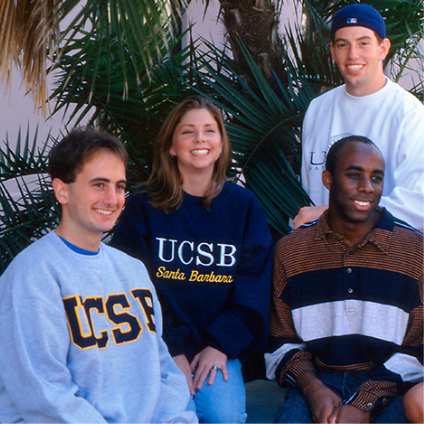
UCSB Students
Did you know that more than 70% of students take summer courses before graduating? Don't miss out on unique opportunities for academic progress and financial savings!

High School Students
Looking to challenge yourself this summer? Explore our best-in-class pre-college programs, or consider taking a university course alongside undergraduates.

Visiting Students
If you're currently enrolled at another college or university but seeking a change of scenery this summer, progress toward your educational goals with sunshine and ocean views!
Open Enrollment
Do you have an unquenchable thirst for knowledge? Summer open enrollment invites lifelong learners of all ages and stages to participate in UCSB courses!
FAQs:
UCSB students who are registered for courses during Spring quarter are continuing students for summer, and do not need to complete an online application. To register for summer courses, you’ll need to open your Summer quarter on GOLD using the steps outlined below beginning March 23, 2026.
UCSB students who have not been registered for one or more quarters are returning students for summer, and must follow the steps below to register for summer courses.
-
Complete the enrollment application. Please note that you will need to sign up for an account in order to complete a summer enrollment application (enrollment is open from March 2 – August 17, 2026).
-
Upon receipt of an approval email from the Office of Summer Sessions (students should expect to receive this email within 3 business days), log in to GOLD during your designated pass time.
-
Review and complete these Registration Steps.
Newly admitted Freshmen have two options to enroll in Summer Sessions.
-
Enroll in our Freshman Summer Start Program (FSSP), a six week experience during Session B thoughtfully designed to set you up for success at UC Santa Barbara.
-
Register for courses during Summer Sessions A – G. Upon successfully submitting your Statement of Intent to Register (SIR), complete the following steps:
-
Complete the enrollment application. Please note that you will need to sign up for an account in order to complete a summer enrollment application.
-
When prompted, identify yourself as an “Incoming UC Santa Barbara Student,” select “I am an incoming freshman student,” and select “No” when asked if you are enrolling in FSSP.
-
Once your enrollment application is accepted, your Summer Quarter will be created and you will have the ability to register for courses across Sessions A – G according to your pass time. Further guidance about registration will be provided upon acceptance. Incoming freshman applications will begin to be processed on April 13, 2026.
-
Newly admitted Transfers who would like to participate in Summer Sessions have three paths to choose from upon submitting their Statement of Intent to Register (SIR).
-
Enroll in Transfer Edge, a six-week program during Session B thoughtfully designed to set you up for success at UC Santa Barbara.
-
Enroll in Transfer Edge and take additional courses during other sessions by completing the steps below:
-
Complete the Transfer Edge Enrollment Application. Please note that you will need to sign up for an account in order to complete the application.
-
When prompted, identify yourself as an “Incoming UC Santa Barbara Student,” select “I am an incoming transfer student,” and select “Yes” when asked if you are enrolling in Transfer Edge.
-
Once your enrollment application is accepted beginning on April 27, 2026, your Summer Quarter will be created and you will have the ability to register for courses across Sessions A – G according to your pass time. Further guidance about registration will be provided upon acceptance.
-
-
Enroll in courses without participating in Transfer Edge by following the steps below.
-
Complete the Summer Sessions enrollment application. Please note that you will need to sign up for an account in order to complete a summer enrollment application.
-
When prompted, identify yourself as an “Incoming UC Santa Barbara Student,” select “I am an incoming transfer student,” and select “No” when asked if you are enrolling in Transfer Edge.
-
Once your enrollment application is accepted, your Summer Quarter will be created and you will have the ability to register for courses across Sessions A – G according to your pass time. Further guidance about registration will be provided upon acceptance. Incoming transfer applications will begin to be processed on April 27, 2026.
-
Current students at a college or university other than UC Santa Barbara who wish to take UC Santa Barbara courses over the summer are considered visiting students and must follow the steps below to register for summer courses:
-
Beginning March 23, 2026, review course offerings and availability in the UCSB Public Curriculum Search. Note that once course registration opens, the number of available seats in popular courses fluctuates constantly, and submission of an enrollment application does not guarantee course availability.
-
Complete the enrollment application at least one week prior to the start of the session you’d like to enroll in. Please note that you will need to sign up for an account in order to complete a summer enrollment application (enrollment is open from March 2 – August 17, 2026). Non-UC students will be charged a $75 application fee.
-
Upon receipt of an approval email from the Office of Summer Sessions (students should expect to receive this email within 3 business days), log in to GOLD during your designated pass time.
-
Review and complete these Registration Steps.
Current high school students or community members must follow the steps below to register for summer courses through open enrollment:
-
Beginning March 23, 2026, review course offerings and availability in the UCSB Public Curriculum Search. Note that once course registration opens, the number of available seats in popular courses fluctuates constantly, and submission of an enrollment application does not guarantee course availability.
-
Complete the enrollment application at least one week prior to the start of the session you’d like to enroll in. Please note that you will need to sign up for an account in order to complete a summer enrollment application (enrollment is open from March 2 – August 17, 2026). Open enrollment students will be charged a $75 application fee.
-
Upon receipt of an approval email from the Office of Summer Sessions (students should expect to receive this email within 3 business days), log in to GOLD during your designated pass time beginning May 4, 2026.
-
Review and complete these Registration Steps.
Details about summer course offerings will become available on March 23, 2026. At that time, UCSB Students with active credentials can log into GOLD to review them. Individuals without UCSB credentials can utilize the UCSB Public Curriculum Search to see the most up to date information about summer course offerings.
Details about summer course offerings including days, times, locations, and teaching modalities will become available on March 23, 2026. At that time, UCSB Students with active credentials can log into GOLD to look for courses with a location of “ONLINE” for synchronous courses or “ON ASYNC” for asynchronous courses. Individuals without UCSB credentials can utilize the UCSB Public Curriculum Search to see this information. Prior to March 23, 2026, a projected list of summer online courses can be reviewed on the Online Courses page of our website.
Students can register for summer courses during their designated pass times. Summer pass times are assigned based on each student’s unit standing at the end of Winter Quarter. All summer pass times begin at 9 am.
Summer pass times for continuing students will not appear in GOLD until a student’s summer quarter has been created. To create the Summer 2026 quarter, log into GOLD, click on the Registration tab, and select Summer 2026 as the quarter. After clicking the button to create your summer quarter, pass times will populate. Students who continue to experience difficulties after taking these steps should email info@summer.ucsb.edu for additional assistance.
Students can register for up to 16 units in any single or overlapping session. For example, Sessions A and C overlap, so between the two sessions, a student can register for 16 units total. Sessions A and B are examples of non-overlapping sessions, and as such, students can register for up to 16 units in each. Students who would like to exceed the maximum number of units can submit an Excess Load Petition through the College of Letters & Science.
Yes, the Campus Based Fee (noted as SS UG Campus Based Fee within student BARC statements) is a mandatory fee that is charged regardless of course modality. This fee is voted in by student referendum and funds co-curricular programs, activities, and services that directly benefit students, and as such cannot be waived. These services include, but are not limited to counseling, advising, tutoring, student information systems, and programs. Students who are not physically present on campus can still remotely access these services.
Summer at UCSB is a customizable experience, so student fees are dependent upon an individual’s student status and the total number of units they enroll in. You can review a general fee breakdown for different student types below. Once you’ve reviewed the basics, use our fee estimator to calculate your estimated cost of attendance for Summer 2026. Please note that the fee breakdowns below and the fee estimator do not factor in potential financial aid or other Summer Savings.
UC Undergraduate Students
-
$291.00 per unit (no additional unit fees after 12 units)
-
$575.09 campus-based fee
-
$33.87 student technology fee
-
$350.00 visa administrative fee (for international students who require a visa during Summer 2026)
UC Graduate Students
-
$401.00 per unit (no additional unit fees after 12 units)
-
$276.30 campus-based fee
-
$33.87 student technology fee
-
$350.00 visa administrative fee (for international students who require a visa during Summer 2026)
Non-UC Students & Community Members
-
$75.00 Summer Sessions application fee
-
$291.00 per unit
-
$575.09 campus-based fee
-
$33.87 student technology fee
-
$350.00 visa administrative fee (for international students who require a visa during Summer 2026)
Summer financial aid packages are available to qualified students who are registered in a minimum of 6 units (spanning the whole summer quarter). In order to be considered for summer financial aid, a student must have a 2025-2026 FAFSA or CADAA on file by June 30, 2026. It is important to note that financial aid packages are calculated based on actual summer enrollment data, and will be adjusted on the next revision date if a student changes their schedule. Please refer to the Office of Financial Aid and Scholarships for additional summer aid information.
During summer, there are two fee payment deadlines:
-
Sessions A, C, D, & E - June 24, 2026
-
Sessions B, F, & G - August 5, 2026
A student’s fee payment deadline is determined based on the earliest session they are enrolled in (i.e., if a student is registered for courses in Session A and in Session B, all summer fees are due by the Session A fee payment deadline.
Students can expect to receive a refund of summer course unit fees if the course is dropped on GOLD prior to the published deadline for that session. However, once instruction begins and a student is in paid status, the campus-based fee and student technology fee cannot be refunded. Access to services provided by these fees will remain through the quarter.
-
Sessions A, C, & D - June 28, 2026
-
Session E - July 19, 2026
-
Sessions B & F - August 9, 2026
-
Session G - August 30, 2026
Additional refund details can be referenced in the Summer Sessions Refund Policy.
You can cancel your summer quarter if the first day of instruction for the earliest session you are enrolled in has not begun. To cancel your summer quarter, follow the steps below:
-
Log in to GOLD.
-
Navigate to the “Progress” menu.
-
Select “Petitions”.
-
Select “Initiate Quarter Cancellation Petition”.
-
Ensure that the selected quarter is “Summer 2026”.
-
Follow the form’s steps to confirm the cancellation of your quarter.
Note: International students cannot cancel their summer quarter on GOLD and must follow the withdrawal steps below.
You can withdraw from the summer quarter if instruction for the earliest session you are enrolled in has begun. To withdraw from the summer quarter, submit this withdrawal petition. The day the Office of the Registrar receives this form is the official withdrawal date used to determine refund eligibility.
Students should review Summer Deadlines prior to initiating a withdrawal to ensure a complete understanding of the deadline to withdraw without a W. For additional information, review these complete cancellation and withdrawal steps.
No, students who open their summer quarter but do not register for any courses will not be charged any summer fees.
If you have declared degree candidacy for spring, you will not be able to register for summer courses as a continuing UCSB student. If you intend to take courses over the summer to complete your degree requirements, you can change your degree candidacy to summer in GOLD. This will allow you to register for courses following the steps below and it will not preclude you from participating in the spring commencement ceremonies.
Lapse of status refers to the automatically enforced withdrawal of a student from the university. During Summer Sessions, students are most commonly lapsed due to non-payment of fees. If students do not take action to pay their Summer balance in accordance with the published fee payment deadline, they will be impacted by the lapse process.
If you have been lapsed from your summer courses due to non-payment, please review and complete the following steps:
-
Submit a Late Add Petition as soon as possible. Submitting this form will notify Summer Sessions that you have been dropped and would like to re-enroll.
-
Please include specific enrollment codes for the courses/sections you were enrolled in to help expedite the process. If you have already paid your fees since being lapsed, please attach your receipt using the paperclip icon.
-
The Summer Sessions Business & Finance Manager will follow up via email with all students who submitted the form to confirm the amount owed (if not already paid). Late Add Petitions must be processed even for students who have already paid post-lapse.
-
Late Add Petitions will be approved, and you will be re-enrolled into the courses you were dropped from after your payment is processed and you are placed in a paid status.
-
All late add petitions will be reviewed, but due to the manual nature of this process, it can take up to three weeks to verify payment and re-enroll for each student. Regardless of your pay status, if you were dropped from a course that is currently in session, you may request Canvas access from your instructor(s) so you do not fall behind in your coursework.
The summer quarter is made up of 7 sessions of varying lengths, with courses offered in 3, 6, and 10-week formats. Sessions D, E, F, and G are all 3-week sessions, Sessions A and B are 6-week sessions, and Session C is a 10-week session. Students are permitted to enroll in courses throughout all sessions, as long as they do not exceed enrolling in 16 units in any single or overlapping session.
University Apartments will be available for students at least 18 years old that are enrolled in UCSB Summer Session classes. Students interested in applying for Summer Housing should review all relevant dates, deadlines, and rates, and contact housinginfo@housing.ucsb.edu with further questions.